import React, { useState } from 'react'; import { Copy, Check, ChevronDown, ChevronRight, ExternalLink, AlertCircle } from 'lucide-react'; const CodeBlock = ({ children, language = 'bash' }) => { const [copied, setCopied] = useState(false); const copyToClipboard = () => { navigator.clipboard.writeText(children); setCopied(true); setTimeout(() => setCopied(false), 2000); }; return (
{language}
        {children}
      
); }; const CollapsibleSection = ({ title, children, defaultOpen = false }) => { const [isOpen, setIsOpen] = useState(defaultOpen); return (
{isOpen && (
{children}
)}
); }; const StepCard = ({ number, title, icon, children }) => (
{number}

{title}

{children}
); const AlertBox = ({ type = 'info', children }) => { const styles = { info: 'bg-blue-50 border-blue-200 text-blue-800', warning: 'bg-yellow-50 border-yellow-200 text-yellow-800', success: 'bg-green-50 border-green-200 text-green-800', error: 'bg-red-50 border-red-200 text-red-800' }; return (
{children}
); }; export default function PharosIntegrationGuide() { return (
{/* Header */}

Pharos Chain NFT Platform

Complete Integration Guide for shadcn/ui Projects

React 18+ • TypeScript • Tailwind CSS • shadcn/ui
{/* Overview */}

Overview

This guide provides comprehensive instructions for integrating the Pharos Chain NFT Platform component into your shadcn/ui project. The component features scroll-based media expansion, Web3 wallet connectivity, NFT minting functionality, and a gallery display system.
Key Features

  • Scroll-based media expansion interface
  • Web3 wallet connectivity
  • NFT minting functionality
  • Gallery display system
  • Responsive design

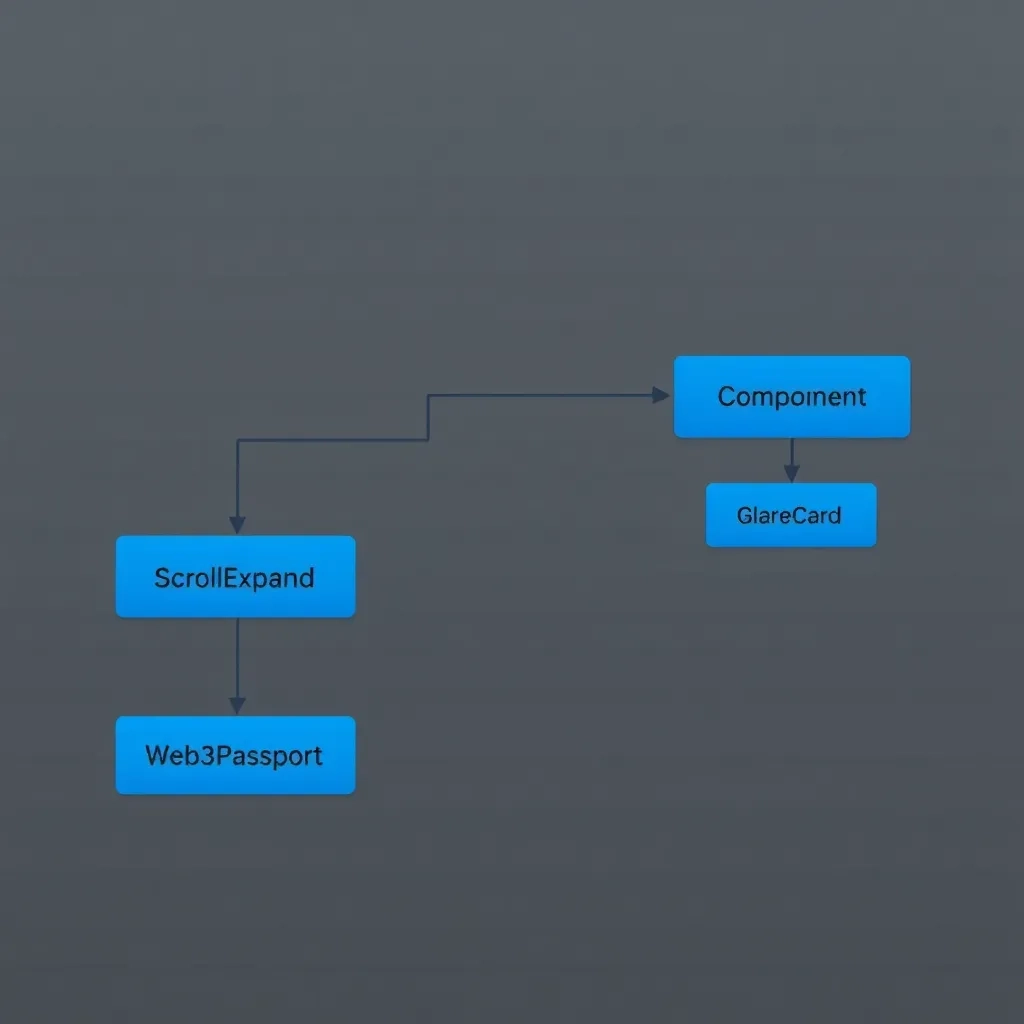
Component Architecture

Component Architecture Diagram
{/* Prerequisites */}

Prerequisites

Before you begin: Ensure you have Node.js 16+ installed and basic familiarity with React, TypeScript, and Tailwind CSS.
{/* Integration Steps */}

Integration Steps

{/* Step 1: Project Setup */}

First, verify that your project has the correct shadcn/ui structure. Your project should have a /components/ui directory.

Expected Project Structure:

{`your-project/ ├── components/ │ └── ui/ │ ├── button.tsx │ ├── card.tsx │ └── ... (other shadcn components) ├── lib/ │ └── utils.ts ├── app/ (or pages/ for Next.js) └── package.json`}
If you don't have a shadcn/ui project set up, follow the initialization steps below before proceeding.
{/* Step 2: Initialize shadcn (if needed) */}

If you don't have shadcn/ui set up in your project, follow these commands to initialize it:
For Next.js projects:

npx create-next-app@latest my-app --typescript --tailwind --eslint

Initialize shadcn/ui:

npx shadcn-ui@latest init

Install basic components:

npx shadcn-ui@latest add button card
Terminal Interface
{/* Step 3: Install Dependencies */}

The Pharos NFT Platform component requires framer-motion for animations. Install it using npm or yarn:

Using npm:

npm install framer-motion

Using yarn:

yarn add framer-motion

Using pnpm:

pnpm add framer-motion
Tip: framer-motion is the only external dependency required. All other functionality uses built-in React hooks and shadcn/ui components.
{/* Step 4: Component Integration */}

Create the PharosNFTPlatform component in your /components/ui directory:

Create the file:

touch components/ui/pharos-nft-platform.tsx

Component Code:

{`'use client' import React, { useState, useEffect, useRef } from 'react' import { motion, useScroll, useTransform } from 'framer-motion' import { Wallet, Zap, Image, Users, ExternalLink, Copy } from 'lucide-react' // ScrollExpandMedia Component const ScrollExpandMedia = ({ children }: { children: React.ReactNode }) => { const ref = useRef(null) const { scrollYProgress } = useScroll({ target: ref, offset: ["start end", "end start"] }) const scale = useTransform(scrollYProgress, [0, 0.5, 1], [0.8, 1, 1.2]) const opacity = useTransform(scrollYProgress, [0, 0.2, 0.8, 1], [0, 1, 1, 0]) return ( {children} ) } // GlareCard Component const GlareCard = ({ children, className = "" }: { children: React.ReactNode, className?: string }) => { const [mousePosition, setMousePosition] = useState({ x: 0, y: 0 }) const [isHovering, setIsHovering] = useState(false) const handleMouseMove = (e: React.MouseEvent) => { const rect = e.currentTarget.getBoundingClientRect() setMousePosition({ x: e.clientX - rect.left, y: e.clientY - rect.top, }) } return (
setIsHovering(true)} onMouseLeave={() => setIsHovering(false)} > {isHovering && (
)} {children}
) } // Web3Passport Component const Web3Passport = () => { const [isConnected, setIsConnected] = useState(false) const [address, setAddress] = useState('') const connectWallet = async () => { // Simulated wallet connection setIsConnected(true) setAddress('0x1234...5678') } return (

Web3 Passport

Connect your wallet to access the NFT platform

{isConnected ? (

Connected

{address}

) : ( )}
) } // NFTMinting Component const NFTMinting = () => { const [isMinting, setIsMinting] = useState(false) const [mintCount, setMintCount] = useState(1) const handleMint = async () => { setIsMinting(true) // Simulated minting process await new Promise(resolve => setTimeout(resolve, 2000)) setIsMinting(false) } return (

Mint NFT

Create your unique digital asset

setMintCount(parseInt(e.target.value))} className="w-full rounded-lg bg-gray-700 px-3 py-2 text-white" />
) } // NFTGallery Component const NFTGallery = () => { const nfts = [ { id: 1, name: 'Pharos #001', image: '/api/placeholder/200/200' }, { id: 2, name: 'Pharos #002', image: '/api/placeholder/200/200' }, { id: 3, name: 'Pharos #003', image: '/api/placeholder/200/200' }, ] return (

NFT Gallery

Explore the Pharos Chain collection

{nfts.map((nft) => (

{nft.name}

Pharos Chain Collection

))}
) } // Main PharosNFTPlatform Component export default function PharosNFTPlatform() { return (
{/* Hero Section */}
Pharos Chain Navigate the future of digital ownership with our revolutionary NFT platform
{/* Web3 Passport Section */} {/* NFT Minting Section */} {/* NFT Gallery Section */} {/* Footer */}

Ready to Start Your Journey?

Join thousands of creators and collectors on Pharos Chain

) }`}
Note: This component is fully self-contained and includes all necessary subcomponents. Place it in your /components/ui directory for proper shadcn integration. {/* Step 5: Usage */}

Import and use the PharosNFTPlatform component in your application:

In your page or component:

{`import PharosNFTPlatform from '@/components/ui/pharos-nft-platform' export default function HomePage() { return (
) }`}

For Next.js App Router:

{`// app/page.tsx import PharosNFTPlatform from '@/components/ui/pharos-nft-platform' export default function Page() { return }`}
{/* Component Breakdown */}

Component Breakdown

Provides scroll-based animations and media expansion effects using framer-motion. This component creates immersive scroll-triggered animations that scale and fade content based on scroll position.

{`const { scrollYProgress } = useScroll({ target: ref, offset: ["start end", "end start"] }) const scale = useTransform(scrollYProgress, [0, 0.5, 1], [0.8, 1, 1.2]) const opacity = useTransform(scrollYProgress, [0, 0.2, 0.8, 1], [0, 1, 1, 0])`}

Creates interactive cards with mouse-following glare effects. The component tracks mouse position and creates a radial gradient that follows the cursor for enhanced visual appeal.

{`const handleMouseMove = (e: React.MouseEvent) => { const rect = e.currentTarget.getBoundingClientRect() setMousePosition({ x: e.clientX - rect.left, y: e.clientY - rect.top, }) }`}

Handles Web3 wallet connectivity and user authentication. This component provides a clean interface for users to connect their cryptocurrency wallets to the platform.

Provides NFT minting functionality with quantity selection and minting status feedback. Users can specify how many NFTs to mint and track the minting process.

Displays a grid of NFTs from the Pharos Chain collection. The gallery showcases available NFTs with hover effects and collection information.

{/* Troubleshooting */}

Troubleshooting

Common Issues

Module not found: framer-motion

Make sure you've installed framer-motion as shown in Step 3.

npm install framer-motion

TypeScript errors

Ensure your tsconfig.json includes the proper path mapping for @/ imports:

{`{ "compilerOptions": { "baseUrl": ".", "paths": { "@/*": ["./*"] } } }`}

Styles not applying

Verify that Tailwind CSS is properly configured and that your CSS file includes the Tailwind directives.

{/* Support */}

Need Help?

If you encounter any issues during integration, check our documentation or reach out to our support team.

); }